July 17, 2026
URL Encoding: Why %20 Shows Up Everywhere
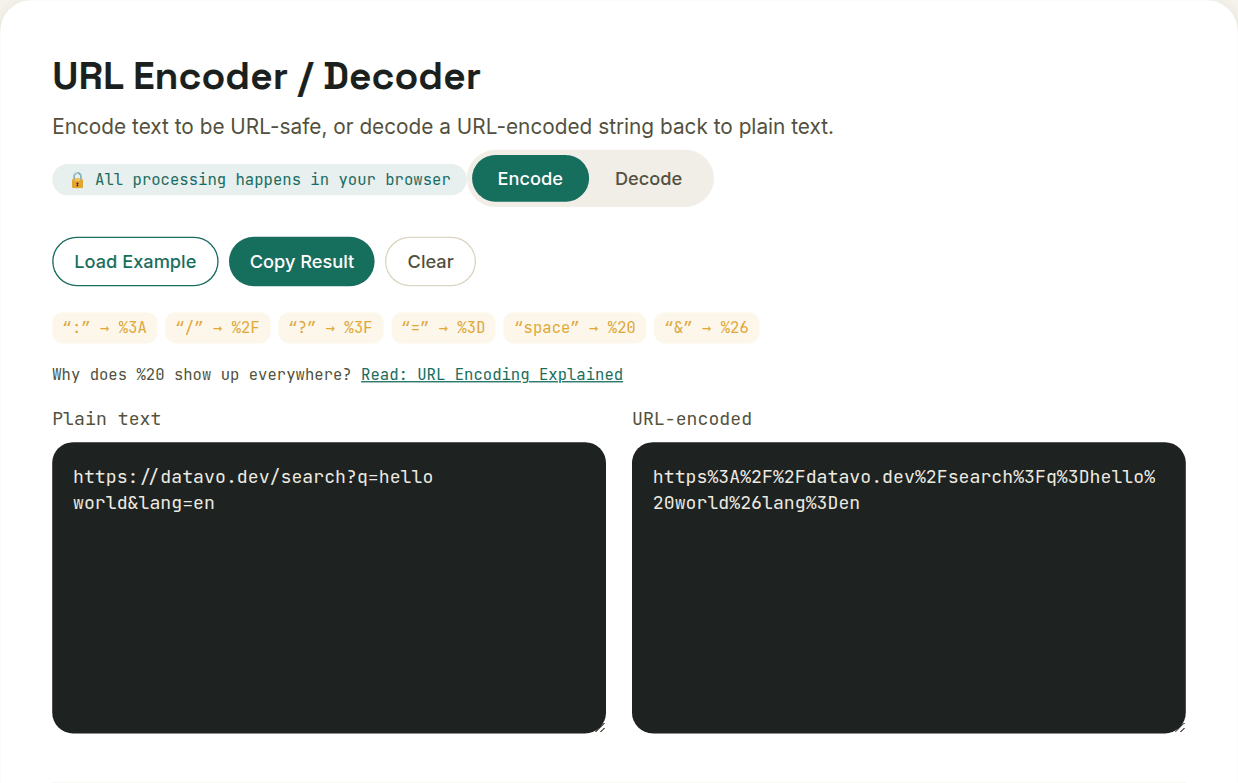
URL encoding (percent-encoding) replaces characters that have special meaning in a URL — space, &, ?, # — with a % followed by their hexadecimal byte value, so a space becomes %20 and an ampersand becomes %26. It exists because those characters are also URL syntax, and without encoding, a URL parser can't tell whether a character is meant literally or structurally.
Why URLs can't just contain any character
Certain characters in a URL aren't just data — they're syntax. A ? marks the start of query parameters. An & separates one parameter from the next. A / separates path segments. A space would end the URL entirely in many contexts, since URLs are often embedded in whitespace-delimited text (like plain-text emails or terminal commands).
If your actual data contains one of these characters — a search query with an ampersand in it, a name with a space — the URL parser can't tell whether that character is meant as syntax or as literal content. Encoding resolves the ambiguity.
How the encoding actually works
Percent-encoding replaces an unsafe character with a % followed by its hexadecimal byte value. A space becomes %20 (0x20 in hex). An ampersand becomes %26. A question mark becomes %3F. The percent sign itself, if you need it literally, becomes %25.
- Space → %20 (or + in some older query-string contexts specifically)
- & → %26
- ? → %3F
- # → %23
- / → %2F
Where this actually bites people
The most common real bug: building a URL by directly concatenating user input without encoding it first. A search box that lets someone type "rock & roll" and drops that straight into a query string will silently truncate everything after the & — because the browser reads that ampersand as the start of a new parameter, not as part of your search term.
The fix is always the same: encode the dynamic piece of data before inserting it into the URL, whether that's a user's search term, a redirect destination, or an ID containing special characters — never assume the raw string is already URL-safe.
Isn't an ampersand just & in HTML?
That's a different encoding for a different context, and mixing them up is its own common bug. When a URL sits inside an HTML attribute (a plain <a href="..."> in your page's markup), the ampersand needs HTML-entity encoding — & — because HTML itself treats & as the start of an entity. When an ampersand needs to appear inside a URL's actual value (not as the parameter separator, but as literal data within one parameter), it needs percent-encoding — %26 — instead. A hand-built link that mixes these up either fails HTML validation or breaks the URL itself, depending on which one got skipped.
Want to try this yourself?
Open URL Encoder / Decoder →