July 11, 2026
How to Decode a JWT Token (And What the Claims Actually Mean)
To decode a JWT, split it on its two dots into header, payload, and signature, then Base64URL-decode the first two parts back into JSON — no library or secret key required, since a JWT's header and payload were only ever encoded, never encrypted. Paste one into a decoder and you'll see this instantly; here's what that actually looks like and what the fields mean.
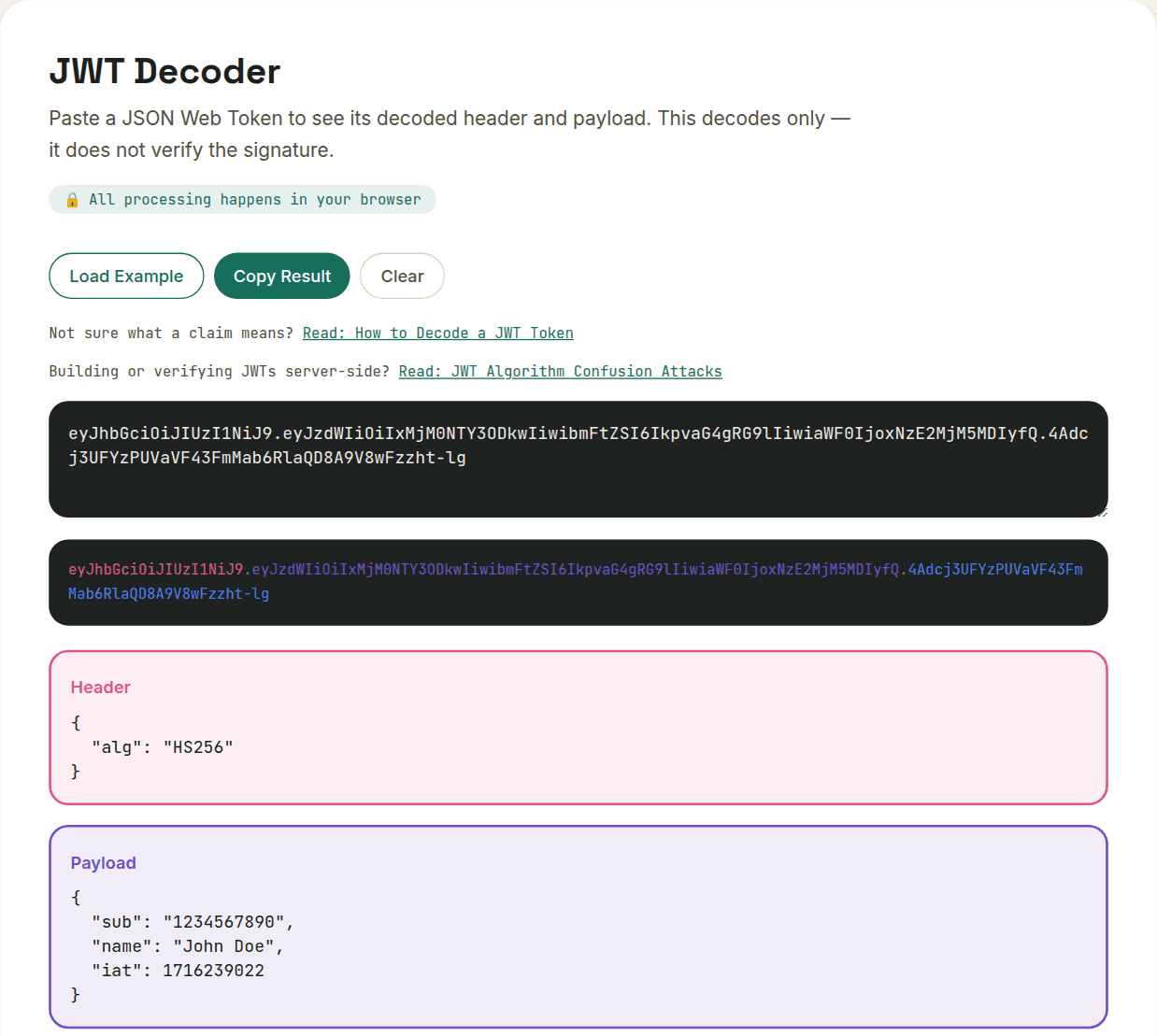
The three parts
A JWT is always structured as header.payload.signature. Each of the first two parts is a JSON object, Base64URL-encoded into text. The third part is a cryptographic signature that proves the token wasn't tampered with — but critically, it does NOT encrypt the header or payload. Anyone can decode and read them without a secret key.
The header
Usually just two fields: alg (the signing algorithm, commonly HS256 or RS256) and typ (always "JWT"). Not much to see here — it's metadata about the token itself.
The payload — this is where it gets useful
The payload holds "claims" — statements about the user or the token. A few show up constantly:
- sub (subject) — usually the user ID the token represents
- iat (issued at) — a Unix timestamp of when the token was created
- exp (expiration) — a Unix timestamp after which the token is no longer valid; this is why sessions eventually expire
- iss (issuer) — who created the token, e.g. your auth provider
- Custom claims — anything an app adds, like a role or permission level
Those exp and iat values are raw Unix timestamps in seconds, not milliseconds — a distinction that trips people up constantly, since JavaScript's own Date object works in milliseconds internally. Pairing a JWT decoder with a timestamp converter turns "1716239022" into an actual date instantly, and sidesteps that off-by-1000 bug when you're debugging why a token expired earlier or later than expected.
Is it safe to decode a JWT without verifying the signature?
Yes — decoding is completely safe and reveals nothing an attacker couldn't already read, since the payload was never encrypted in the first place. But decoding and verifying are two entirely different operations, and conflating them is where real security bugs come from. Decoding needs no key and proves nothing about the token's authenticity; verifying uses the signing key and is the only thing that confirms a token is genuine and untampered with.
The rule that keeps this straight: decode to read, verify to trust. Reading a token's claims in a browser-based decoder for debugging is fine — that's exactly what this tool is for. But if your backend accepts a token's claims (who the user is, what role they have) without verifying the signature first, an attacker can hand you a JWT with any claims they want and your server will believe it.
Want to try this yourself?
Open JWT Decoder →