July 18, 2026
CSV, JSON, XML, and Excel: A Practical Guide to Converting Between Them
Converting between CSV, JSON, XML, and Excel is close to lossless when your data is flat, and becomes a one-way flattening decision the moment nested objects or arrays enter the picture, since none of CSV, Excel, or a spreadsheet cell can hold a nested structure directly. Here's what actually happens to your data in each direction.
The core tension: flat vs. nested
CSV and Excel are fundamentally flat — a grid of rows and columns, no native concept of an object inside a cell. JSON and XML both support nesting — an object can contain another object, indefinitely. Converting JSON with nested data down to CSV means making a decision about what to do with that nesting, since a CSV cell can't hold a JSON object.
What happens to nested objects going JSON → CSV
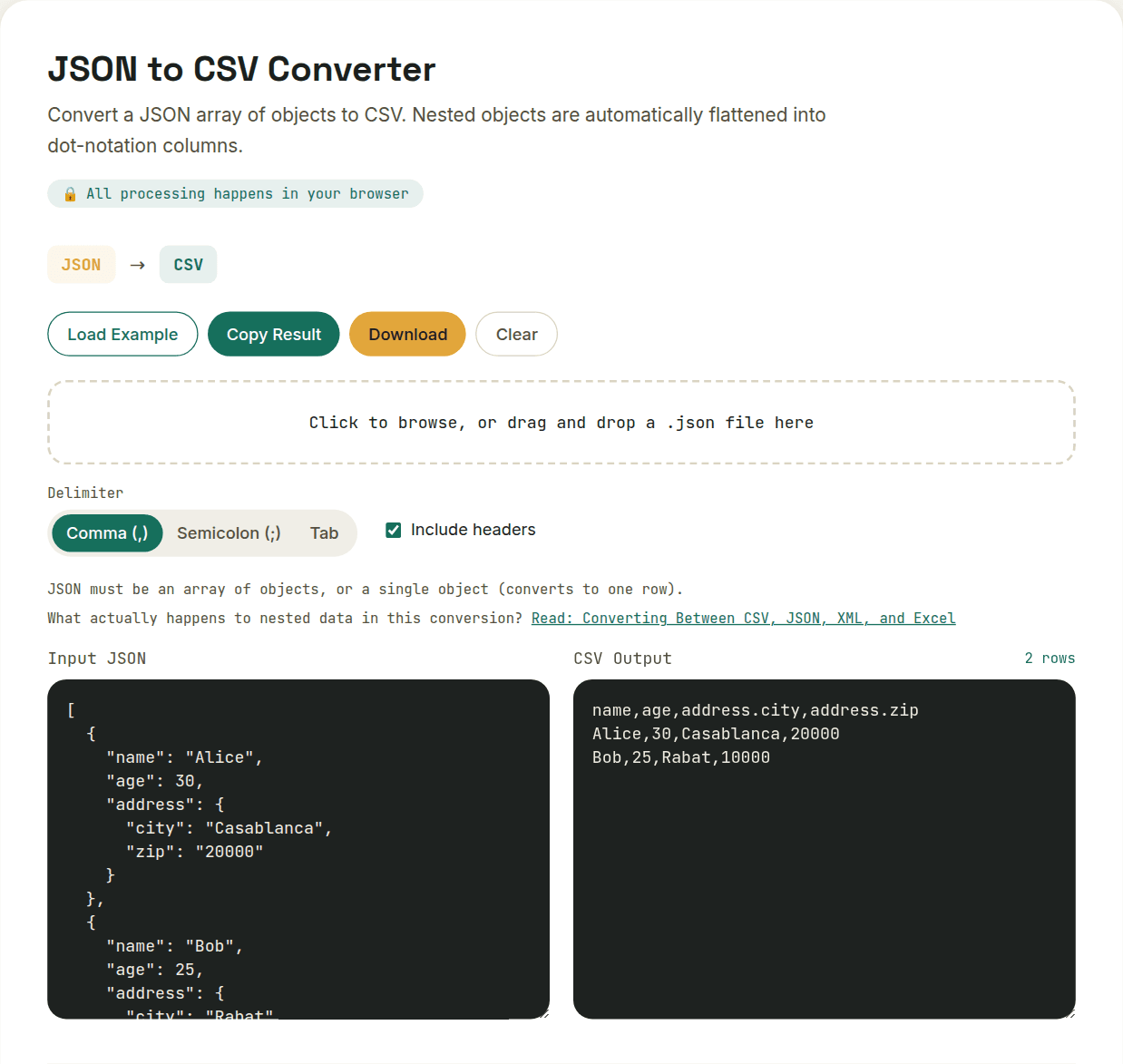
The common approach — and what a good converter should do automatically — is flattening: turning a nested field like address.city into a single column literally named address.city, with dot notation preserving the original structure in the column name itself. Arrays inside an object are typically serialized as a JSON string within the cell, since there's no clean tabular equivalent for "a list inside a single cell."
Going the other direction: CSV/Excel → JSON
This direction is more mechanical: each row becomes one JSON object, each column header becomes a key. The main risk here isn't structural — it's type. Every CSV value is technically just text; a converter has to guess whether "42" should become the number 42 or stay the string "42" in the resulting JSON, and whether "true" should become a boolean. Good converters make sensible choices here, but it's worth double-checking the output when types matter downstream.
Where XML fits in
XML sits closer to JSON structurally — it supports nesting natively via child elements — but converting tabular data (CSV/Excel) to XML requires picking a row-wrapper convention, since XML doesn't have an implicit "this is a table" structure the way CSV does. A common pattern (and what a straightforward converter uses) is wrapping each row in a consistent element like <row>, with each column becoming a child element inside it.
The practical takeaway
If your data is genuinely flat, converting in any direction is close to lossless. The moment nested objects or arrays enter the picture, converting down to CSV/Excel becomes a one-way flattening — worth reviewing the output rather than assuming perfect fidelity, especially before feeding it into a system that expects a specific structure.
Want to try this yourself?
Open JSON to CSV Converter →