July 12, 2026
Regex Cheat Sheet: Common Patterns Every Developer Needs
The regex patterns you'll reach for most often — matching an email, a URL, digits-only input, or cleaning up whitespace — are shorter and more reusable than regex's reputation suggests. Here's the small set that covers the vast majority of real-world use, explained plainly.
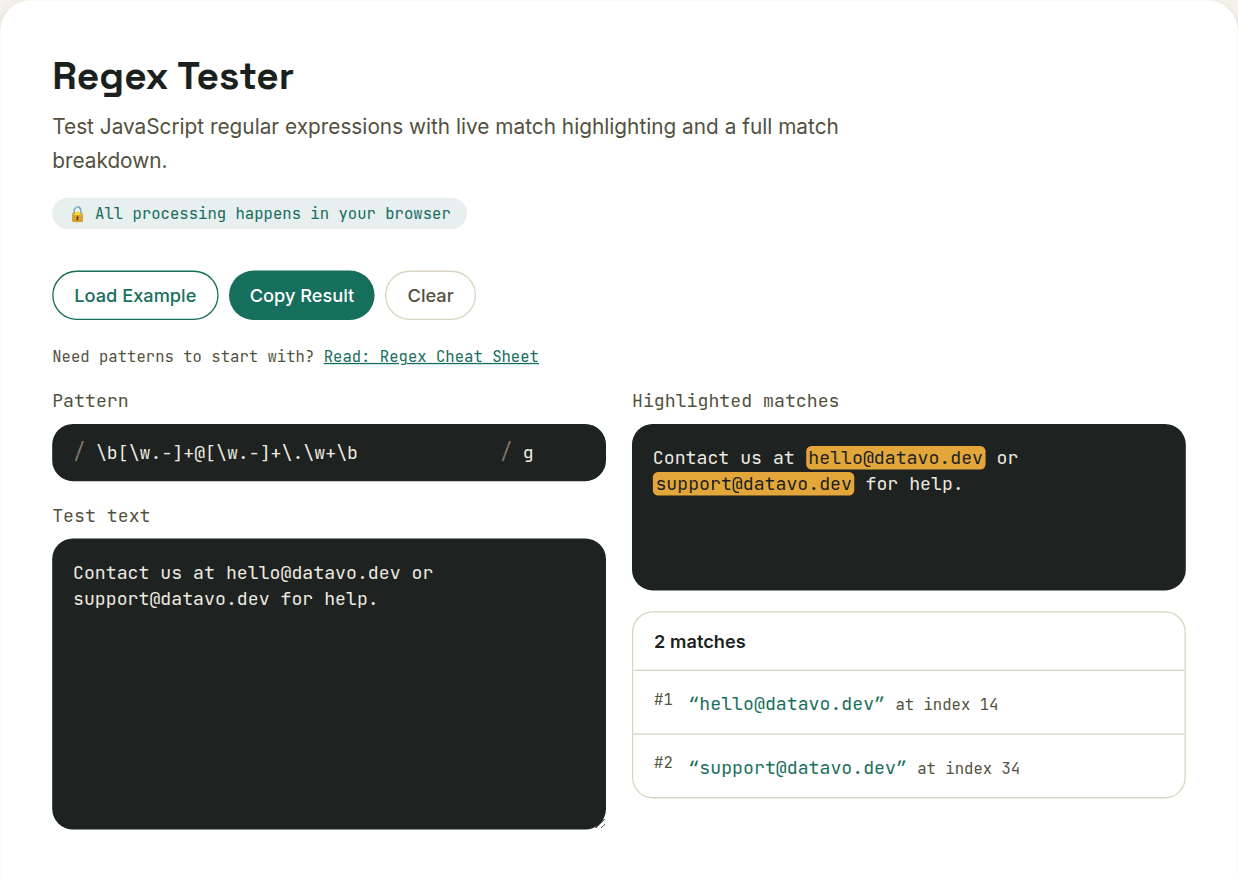
Email address (good-enough version)
\b[\w.-]+@[\w.-]+\.\w+\b
This won't catch every technically-valid email per the RFC spec (nothing simple does), but it correctly matches the overwhelming majority of real addresses people actually use. One gap worth knowing about: \w doesn't include the + character, so this exact pattern misses tagged addresses like name+newsletter@domain.com — a genuinely common format for filtering. If you need to support it, add + to the character class before the @: \b[\w.+-]+@[\w.-]+\.\w+\b.
URL
https?:\/\/[^\s]+
Matches http:// or https:// followed by any non-whitespace characters. Good for pulling links out of pasted text.
Digits only
^\d+$
The ^ and $ anchors mean the entire string must be digits, not just contain some — useful for validating a form field is purely numeric.
Whitespace cleanup
\s+
Matches one or more whitespace characters (spaces, tabs, newlines) in a row — pair with a replace-with-single-space operation to clean up messy pasted text.
Extracting hashtags or mentions
[#@]\w+
Matches a # or @ followed by word characters — grabs hashtags and @mentions out of social text in one pattern.
The three flags worth knowing
- g (global) — find all matches, not just the first one
- i (case-insensitive) — treat A-Z and a-z as equivalent
- m (multiline) — makes ^ and $ match the start/end of each line, not just the whole string
The fastest way to get a pattern right isn't memorizing syntax — it's testing against real sample text and watching what actually matches, adjusting until it's correct.
Want to try this yourself?
Open Regex Tester →